Wireframe vs. Mockup vs. Prototype: Understanding the key differences
Confused about wireframes, mockups, and prototypes? We break it down in simple terms and show why each step matters for building a standout digital product.

If you’ve ever worked on a digital product, you’ve probably heard terms like wireframe, mockup, and prototype thrown around in meetings. At first, they can all blur together, like different names for the same thing. But when you ask an experienced designer, they’ll tell you that each plays a distinct role in shaping a successful outcome.
At IvorySoft, working with these design concepts is part of our daily routine. And to make things clearer and avoid future confusion, we prepared this article. Today, we’ll walk you through what makes each deliverable unique, why they matter, and how they can bring a project to the next level so you’ll never have to second-guess their meaning again.
What is a wireframe?
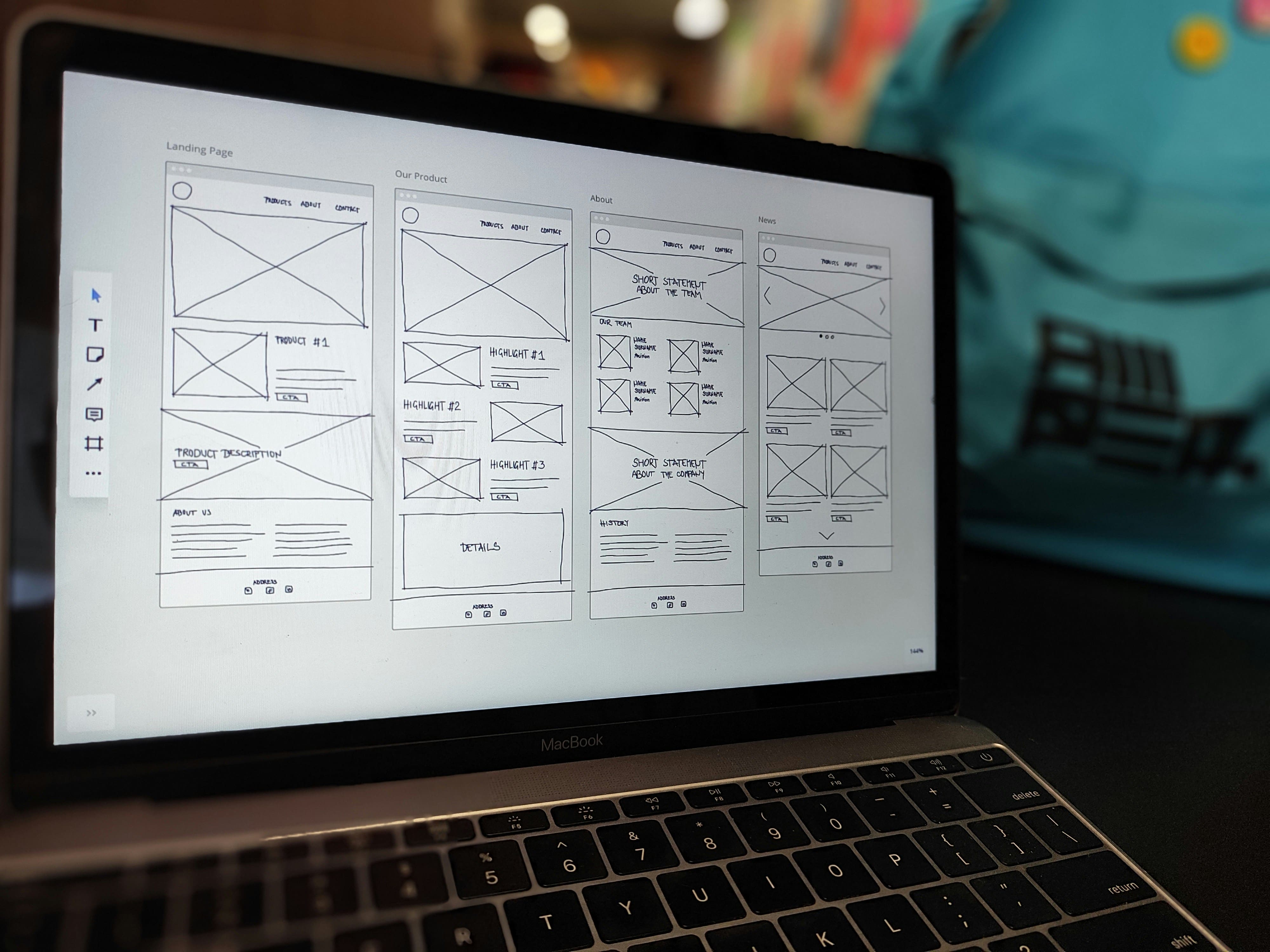
A wireframe is the first draft of a website or app — a simple sketch that maps out where key elements like menus, buttons, images, and text boxes will go. It’s usually made up of basic shapes (often in black and white) and doesn’t include any polished visuals or fancy designs. Wireframes help teams focus on structure and user flow before moving to the creative details.
Key features of wireframes
When it comes to the benefits, wireframes simplicity stands out the most. They focus on structure rather than visuals, making it easier to quickly map out where everything will go. For teams, they’re a great way to brainstorm better ideas and avoid unnecessary detours. So, if we take a closer look at the key features of wireframes, here’s what makes them so valuable:
- They are simple but powerful planning tools.
Wireframes lay out the structure, showing where each element will be placed. By focusing on layout rather than design details, they provide a clear overview that helps everyone understand the product’s architecture right from the start. Wireframes describe the screens; the technical layers underneath them are the subject of our mobile app architecture guide.
- They are great for clear communication.
Wireframes visually express ideas that can be tricky to explain with words alone. They act as a shared language for designers, developers, and stakeholders, making it easier to align expectations and speed up feedback loops without confusion.
- They are fast and cost-effective.
Designers can experiment with layouts and quickly create wireframes without wasting time on details. In fact, some of the best sketches start with nothing more than a pen and paper, proofing that effective planning doesn’t have to be expensive.
What is a mockup?
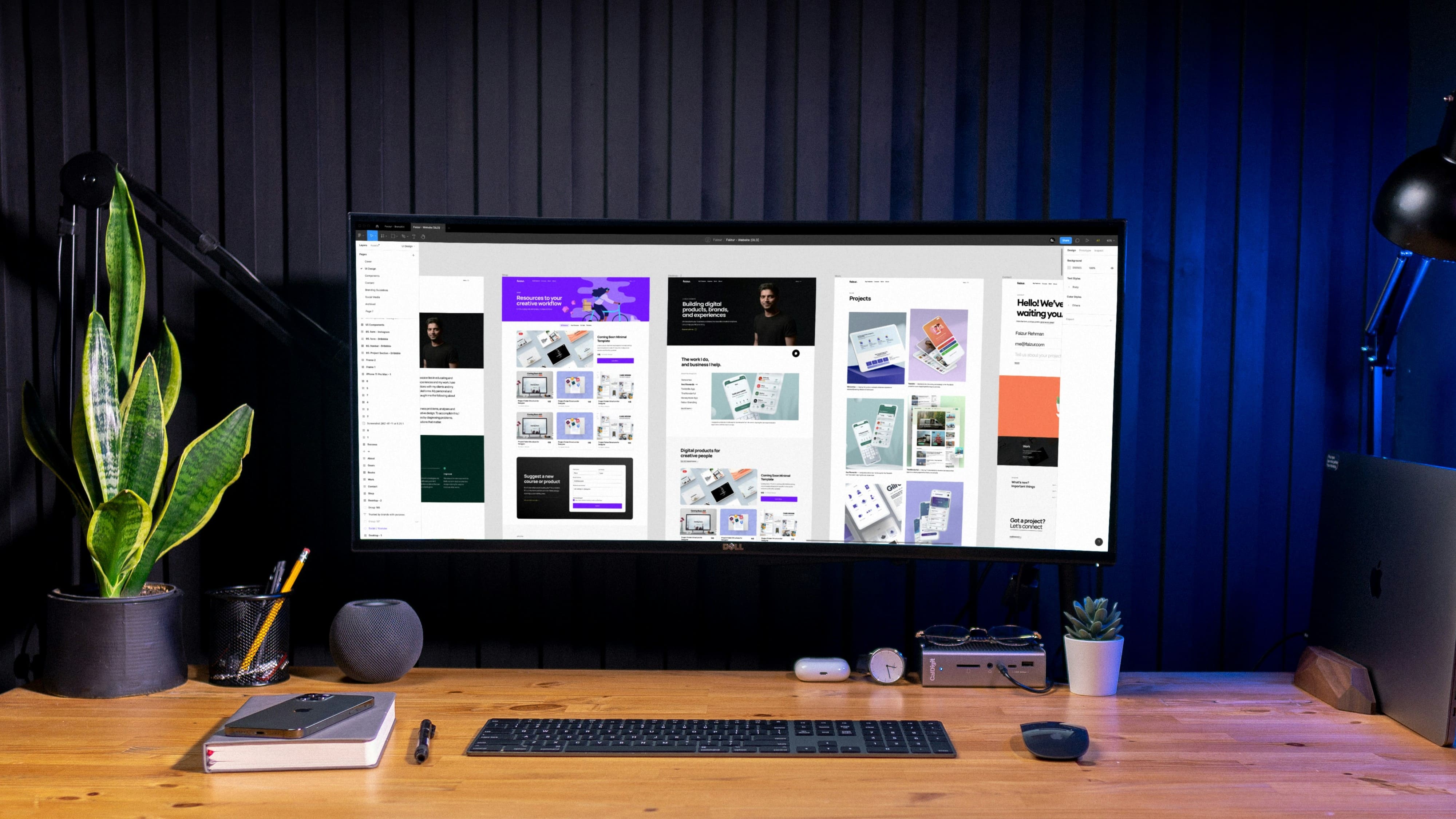
A mockup takes the wireframe to the next level by adding the visual details that make a design come to life — colors, fonts, images, and branding elements. While it still isn’t interactive (you can’t click buttons or open menus), it shows exactly how the final product will look. Mockups are especially useful for client presentations and team discussions, as they help everyone stay on the same project’s visual direction.
Key features of mockups
Mockups are crucial for any type of project because, as we’ve just mentioned, they form the foundation for what developers will build — whether it’s a website, app, landing page, or something else. These deliverables showcase the aesthetic side of the design, helping teams and clients see how everything will look. Among the key features of mockups, we can highlight the following:
- They are realistic visual previews.
Mockups provide a detailed glimpse of the final design, showcasing colors, fonts, images, and overall style. This gives everyone involved a clear idea of the product’s look and feel, making it easier to match the final visual direction.
- They are perfect for refining the design.
Mockups let designers experiment with combinations of styles, adjust visual elements, and make improvements based on feedback. They present a complete version of the interface, making it easier to spot what works visually and what might need adjustments.
- They are useful for presentations and promotion.
Mockups can be used to create previews for presentations, ads, or social media, even before the product is fully developed. They help build excitement and can be a powerful tool for attracting early interest from clients, users, or investors.
What is a prototype?
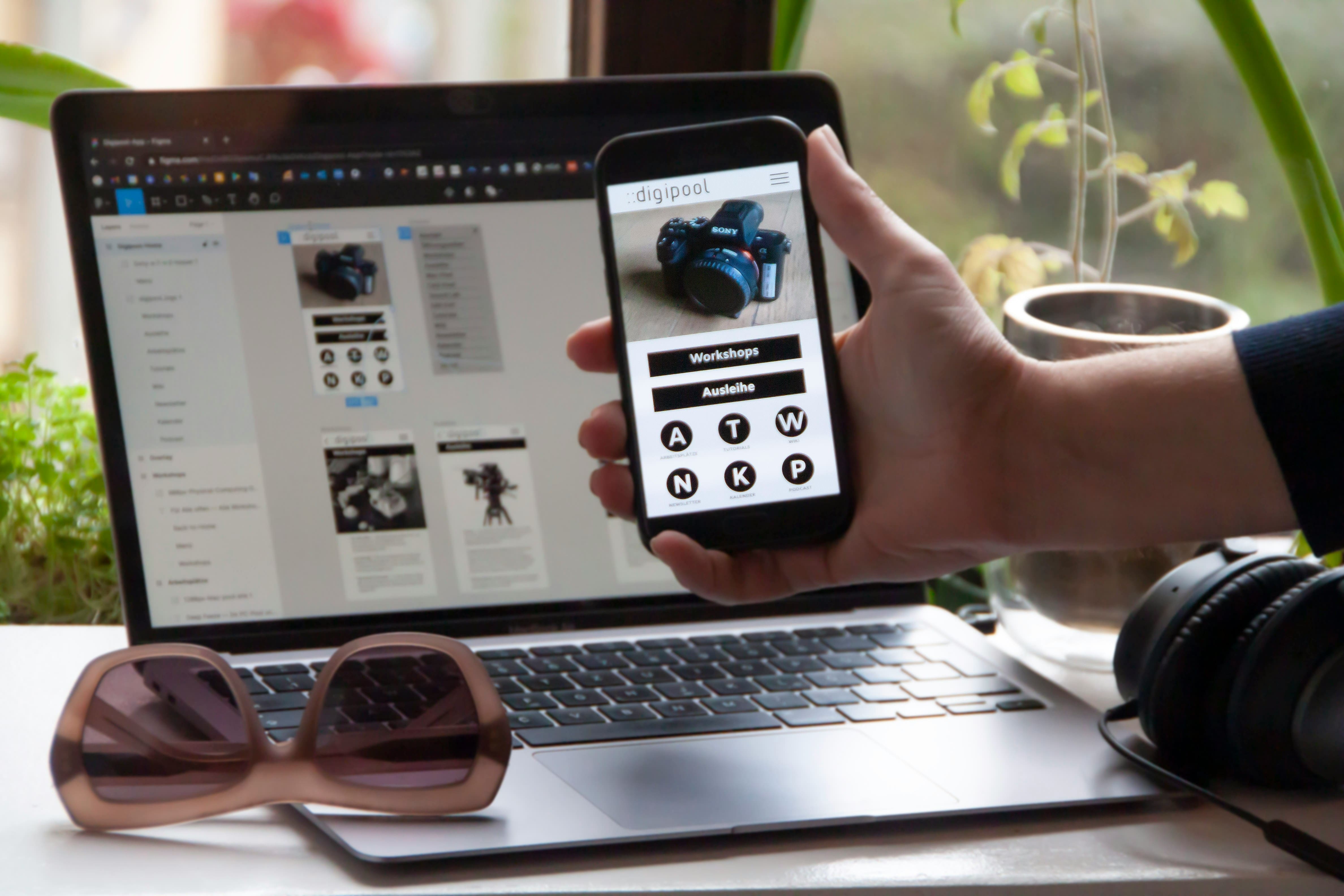
A prototype is an interactive version of the design that lets experience how the website or app will function. Unlike previous concepts, it simulates real user interactions and shows how different elements respond (you can finally click!). They help teams test user flows, spot potential issues, and gather feedback before moving into full development. That said, prototypes aren’t always necessary, but for complex projects, they can make a difference.
Key features of prototypes
Prototypes are built from wireframes and mockups and give the most accurate preview of a product. They allow designers to test the usability of the design right away, provide developers with a detailed visual to build from, and give you, as the client, a chance to enjoy a functional, interactive interface. Here are the key features that make prototypes invaluable:
- They are ideal for testing functionality.
Prototypes let you click, scroll, and interact just like you would with the final product. This makes it easy to check whether the user flow works smoothly and ensure that everything behaves as expected.
- They are great for gathering user feedback.
Prototypes simplify the involvement of real users early on. By doing so, it’s easy to observe how people navigate and interact, collecting insights about what works, what doesn’t, and what needs improvement.
- They help save time and costs.
Catching design or usability issues in the prototype phase is much cheaper and faster than fixing them after the development phase. These deliverables let you address potential problems early, saving you from costly revisions later down the line.
Key differences between wireframes, mockups, and prototypes
Now that we’ve explored each concept separately, it’s time to bring everything together and give a quick summary. To spot the differences at a glance, we’ll break down everything you need to know in the table below.
| Aspect | Wireframe | Mockup | Prototype |
|---|---|---|---|
| Purpose | Outline the structure and layout | Visualize the product's appearance | Simulate user interaction and test functionality |
| Design fidelity | Low (basic shapes, black and white) | Middle (detailed visuals) | High (interactive and close to final) |
| Included elements | Structure, placeholders for content | Colors, fonts, images, branding | Clickable elements, animations, user flow |
| Time needed | Low | Medium | High |
| Appropriate design stage | Discovery | Design | Prototyping and testing |
When to use wireframes, mockups, or prototypes?
If you’re looking for a straightforward answer — there isn’t one. It all depends on the project and its specific preferences. From our experience, you don’t always need to create wireframes, mockups, and prototypes — sometimes, just one or two are enough. But to help you make an informed decision, here are a few tips from IvorySoft experts:
1. Use wireframes when you need to map out the structure.
In the early stages, wireframes are the go-to for figuring out the basics and user flow. If you’re unsure about navigation paths, create a few alternative versions to compare and gather team feedback. When working closely with developers from the start, add short notes to explain the purpose of certain elements to prevent miscommunication later.
2. Use mockups when visual design alignment is your priority.
When you’re ready to finalize the look of a project, mockups are a way to go. If you’re presenting to clients or stakeholders who may struggle to visualize the final product, a polished mockup makes it easier for them to provide clear feedback. Once you’re short on time, focus on creating mockups for key screens rather than every single page.
3. Use prototypes when you need to test functionality and user experience.
If your project involves complex user interactions or you want feedback on how the app or website “feels” before development, a prototype is invaluable. To make the process smoother, prioritize clickable paths that reflect main user journeys instead of making every feature interactive right away — it keeps testing focused and efficient.
If the whole process still feels overwhelming and leaves your head spinning — don’t overlook the value of professional UI/UX design services. A skilled team will analyze the product from the very start, identify goals, and recommend the best approach for your needs. This way, you’ll save time and money (and your nerves, too) by avoiding unnecessary steps and focusing only on what truly matters.
Decisions, decisions… Let’s make them easier
At the end of the day, the true purpose of any design process is to create something that users love. Wireframes help shape the structure, mockups breathe life into visuals, and prototypes bring interaction into the mix — but the final product should feel seamless to the user.
And instead of spending time debating which concept you need, a skilled team can pinpoint the best approach. Drop us a few lines, and together, we’ll be able to speed up decision-making and keep a project running smoothly. When creativity and strategy come together, even the most ambitious products stay on track.
