How to build a sports team management app: 9 things to decide first
Building a sports team management app: the nine decisions that shape the MVP, from roles and scheduling to chat and payments, with lessons from our GoHeja project.

The initial stage of building a team management sports app comes down to three decisions: who the app serves (coaches, athletes and clubs each need their own view), which handful of features they will use every week, and how the product will earn money. Settle those before anyone argues about a tech stack. Below we walk through each of them using our own sports app, GoHeja, as the working example.
Sports team management software has a niche audience compared to fitness one. This fact gives you an edge in learning your users perfectly well. Moreover, you can adjust features and designs as per their needs and as accurately as possible. We will discuss a sports team communication app using the example of our company’s client, GoHeja.
These apps are intended to simplify the challenging process of managing a team. They take over a part of the responsibility and effort coaches and athletes usually struggle with. In this article, we’ve compiled some of the most basic rules regarding the development of such applications. Hopefully, it will be useful at the initial stage of thinking over your future app.
Things to consider before you start your sports management
Decide on the final tech stack only when you are sure that all the features correspond to the needs of your target audience. Make your product fit into their lives naturally and without much effort from their side. If you plan to include a monetization strategy in your app, think of it right from the beginning. You can provide subscription plans, in-app purchases, advertisements, sponsorship, etc.
Consider various options for application development, like in-house team employment or outsourcing your project to a freelancer or a development agency. If you need to meet the people you entrust your idea with eye-to-eye and if, in this way, you feel safer, then go for an in-house option without any doubt.
However, outsourcing offers a much wider talent pool and a wider spectrum of technical expertise. Therefore, you'll be more likely to find a partner with an app similar to yours in their expertise. Take the design into account at the very beginning, as it is just as essential as the development part. More thoroughly, we discuss this topic in our blog article about UI/UX design for your product.
Essential features for sports team app
Different app access for team members and coaches
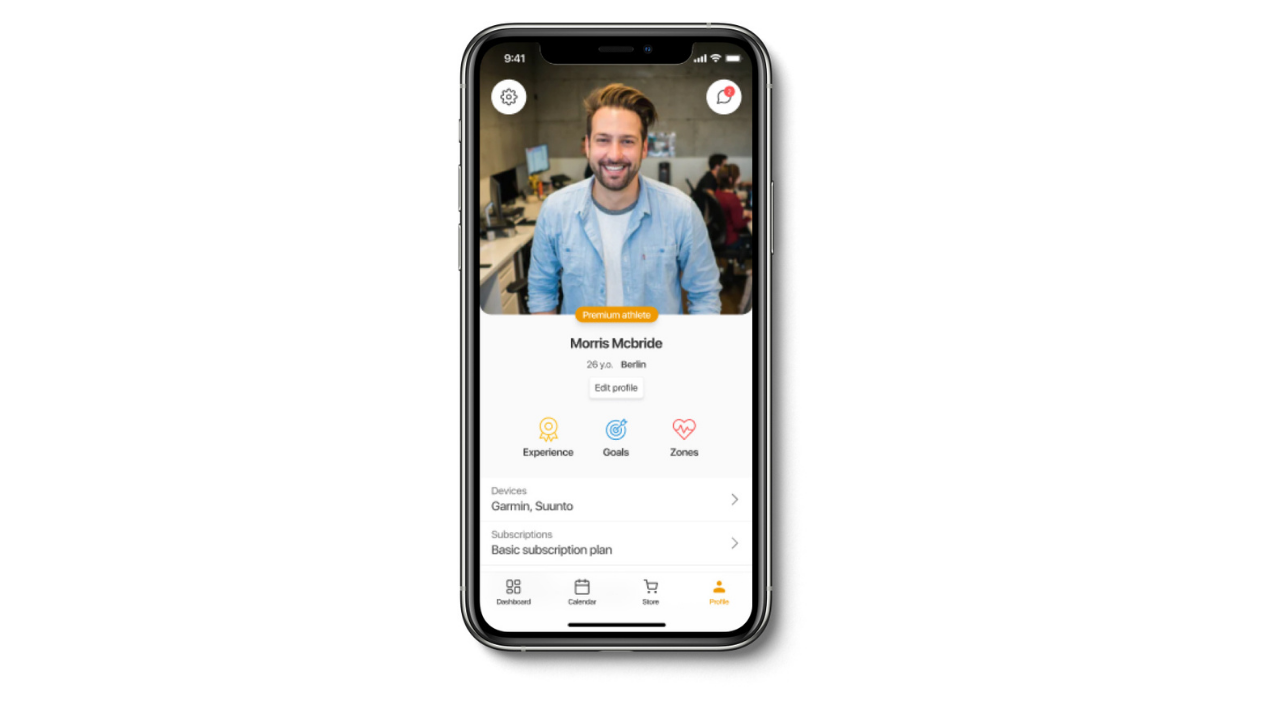
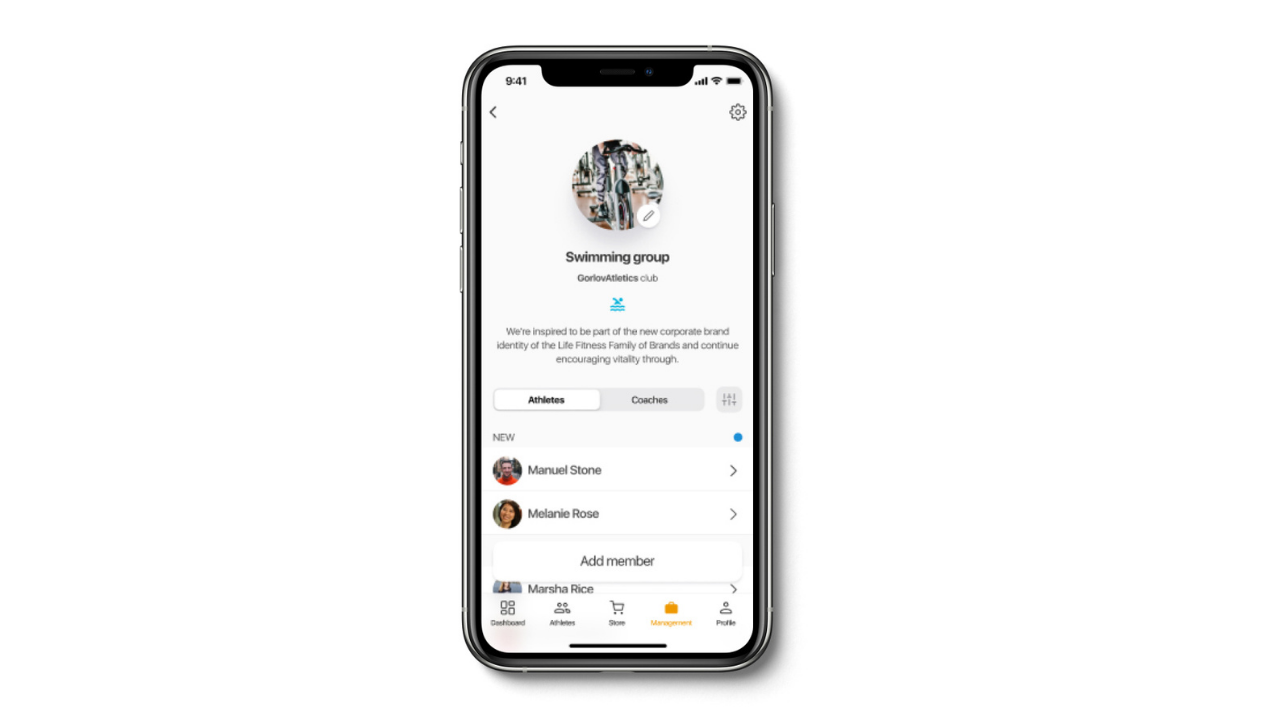
Talking about sports team management app, you’ll need to ensure separate access to the app for coaches, athletes, and other users that fall under any specific category. Depending on their role, they get a certain set of functions that is typical only for them and covers their major responsibilities. Thus, in GoHeja, athletes can create and track their workouts, as well as join various clubs. Otherwise, coaches can create groups of athletes within a certain sports club, send invitations to athletes to join the club, view routes of training as well as monitor the track record of each team member. Both coaches and athletes can communicate with each other in group chats or in personal ones. Sports clubs also have separate access to the application, where they can create diverse clubs, invite coaches and athletes, and create and manage subscription plans.
Personal account to configure
A necessary feature in almost any app is to help establish a credible relationship with the user. Moreover, it allows them to find the most comfortable way to use the app.
Personal and group chats
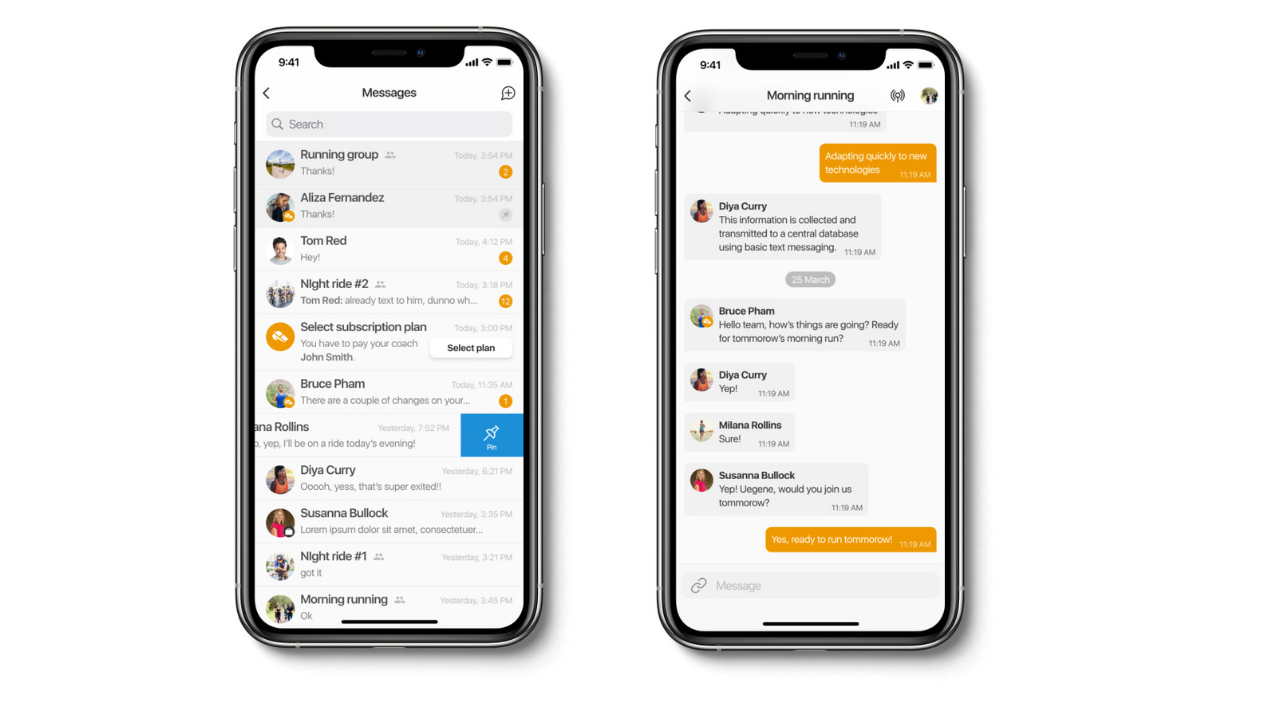
Sports team communication apps always undermine a certain community. A product that does not provide a chat feature won’t win the battle among the others on the market. It is also essential to add group chats. In this way, team members get a chance to gather on time for a workout together, can compare their achievements, share experiences, and ask for help or advice. Live broadcasting could also be of use, as with such a feature the team can train online and does not need to search for any other platform to fulfill this purpose.
Integration with wearables
Most real sports junkies cannot imagine their lives without fitness trackers or smartwatches, so adding integration with them to your sports management app is extremely beneficial. As well as investigation of what kind of wearables your potential clients use in different countries. GoHeja, for instance, offers integration with Garmin, Polar, Fitbit, and Suunto devices.
GoHeja, for instance, offers integration with Garmin, Polar, Fitbit, and Suunto devices.
Achievement record in your sports team app
The biggest difference between fitness and sports management apps lies in the competitive nature of the latter. While using fitness applications, you are mostly working out for health purposes only, the sports apps provide more advanced goals for you. For instance, running marathons, participating in team sports, and all kinds of competitions that shape the reputation of your sports club, etc.
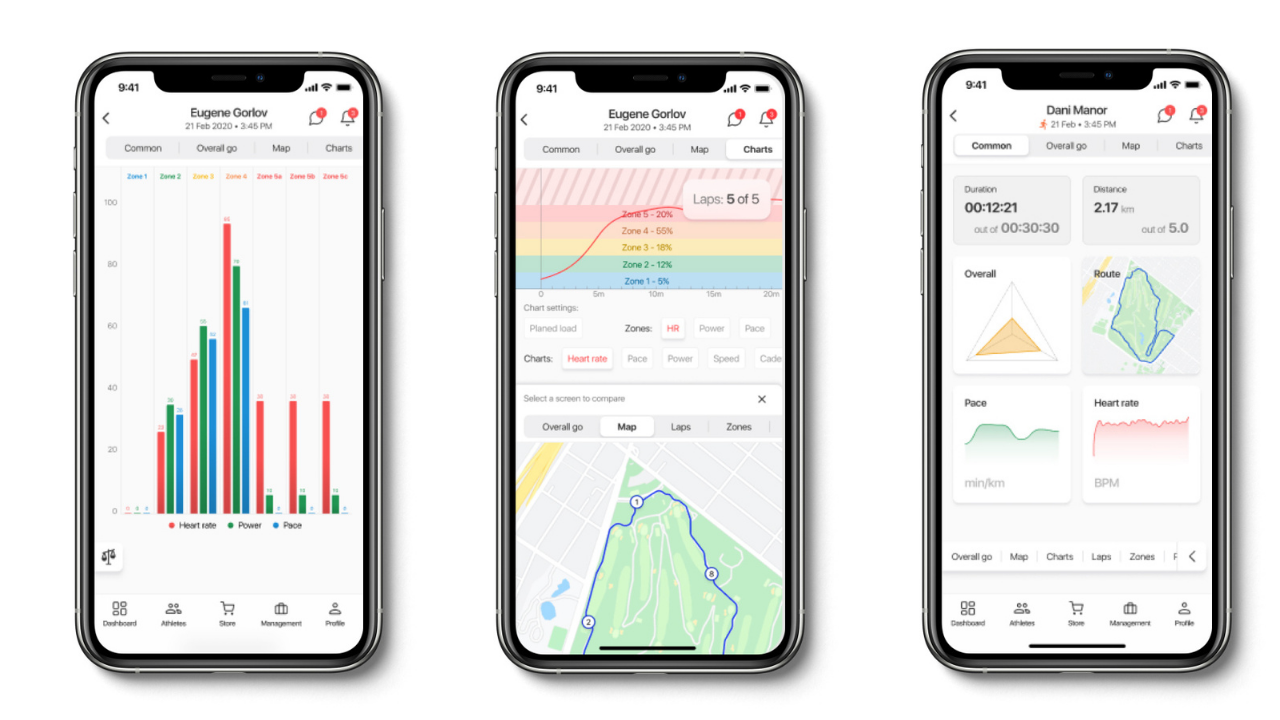
This is why offering an elaborate system of monitoring one’s achievements is essential for a sports team management app. That is also necessary for the coaches and sports clubs, as they need to see the bigger picture of their team’s performance and track record. Such things as diagrams, all kinds of charts as well as saved physical parameters from each workout allow an athlete to analyze, compare his/her achievements and performance.
Geolocation tracking
This is an integral feature for a sports team communication app, as the athletes can create and follow a certain route of training, and know exactly where their team is located.
Calendar
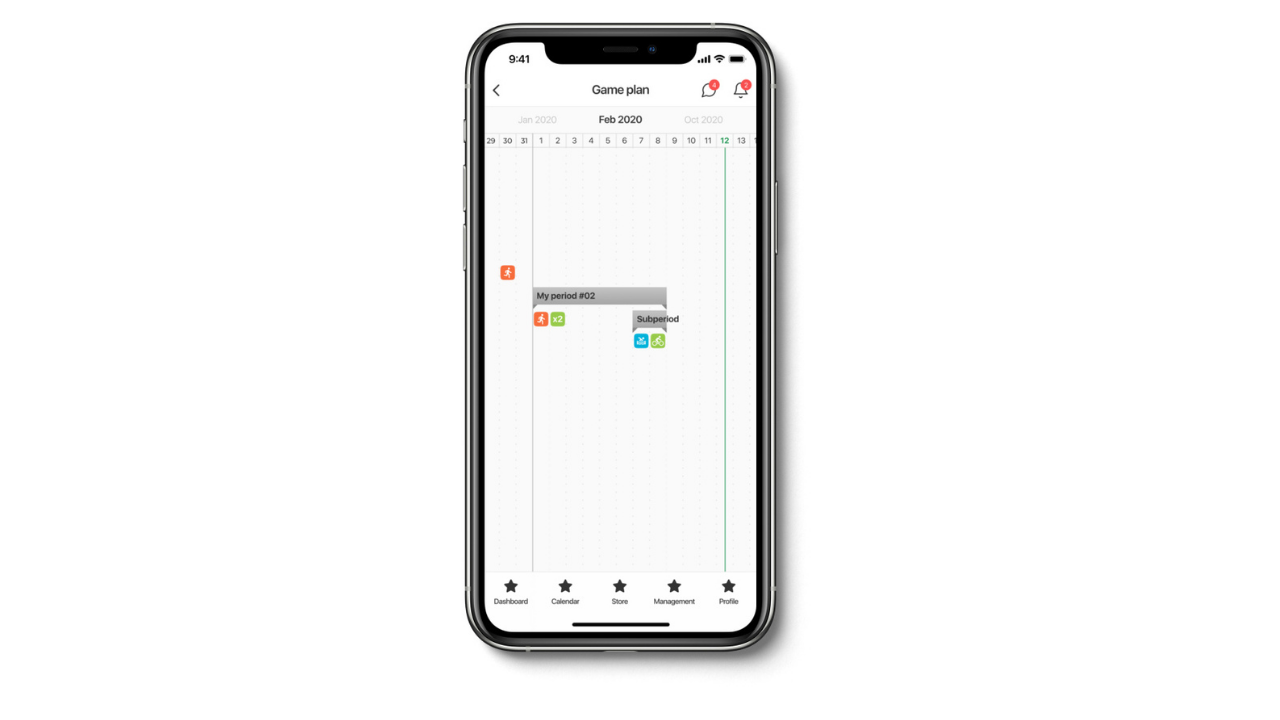
Perfect and necessary scheduling tool, as with its help everyone knows when a workout/event takes place. Plus, in GoHeja, you also can add a zoom session to any workout right in the calendar.
Push notifications
Sports management software is mostly intended for professional purposes, and users need to interact with it daily. That’s why frequent push notifications are a necessity. They are especially important as reminders about all the upcoming workouts or events.
Possibility to create groups in your sports team app
Repeating the truth, the community is something that is always there in any sport. Coaches and clubs who monitor many teams must have the possibility to arrange them properly under certain groups. This way, they also get a chance to schedule workouts and events for the whole team at once.
Tech stack and challenging features
For our GoHeja, we’ve chosen development with React Native, as it is a much more flexible technology, allowing us to create apps for Android, iOS, and web quicker and with less effort. Here is the detailed list of technologies we’ve used for our app: React Native 0.61 / Flow / React Navigation / Redux / ReduxSaga / Persist / Firebase + FirebaseSocketReactivePagination (sockets analog) / Charts -> GanttCharts
For sports team management apps, especially intricate work, lies in the data parsing, meaning from one speed to another parameter, like productivity. Calendar implementation, diagrams, accurate display of the athlete’s physical metrics, and communication tools also require a lot of attention. Additionally, we are proud of a more complex feature: a split-screen allows comparing different data within an application simultaneously.
MVP scope checklist for a sports team app
The feature list above is long, and trying to ship all of it at once is the most common way a sports team app stalls before launch. A better move is to pick the smallest set that lets one real team run one real week of training inside the app, release that, and grow from feedback. Here is the checklist we use when we scope a first version with a client.
- Roles are defined on paper first: what a coach, an athlete and a club admin can see and do, and what happens when one person holds two roles.
- One core loop works end to end: a coach schedules a session, athletes get the notification, attend, and the result lands in their record. If this loop breaks, nothing else matters.
- Chat is limited to what the loop needs. A group chat per team is usually enough for a first release; voice notes, reactions and live broadcasting can wait.
- Wearable integration starts with one vendor. Pick the device most of your early users already own, prove the data parsing on it, and add the rest later.
- Achievement tracking shows a few parameters well rather than every metric badly. Distance, time and a single comparison chart beat a dashboard nobody reads.
- Calendar and push notifications are built together, because a reminder that does not match the schedule costs you trust immediately.
- Geolocation is on the list only if the sport needs it. Runners and cyclists do; a volleyball club mostly does not.
- Monetization is decided, even if the first version is free. Subscription per club, per athlete or sponsor-funded changes how accounts and invitations are modeled.
- Offline behavior is agreed. Training grounds often have weak signal, so decide what the app does when a workout is logged without a connection.
- Privacy for minors is handled, since many teams include under-age athletes and their parents will ask who can message whom.
Everything that is not ticked goes into a second list labeled "after launch". That list is not a graveyard, it is the roadmap, and it stops the first release from drifting. In our experience the teams that launch with a short loop and a long roadmap learn more in their first month than those that spend that month still building.
Final thoughts
These are the major points to consider in the initial stage of building an app for sports teams. Hopefully, you’ll find them useful for your particular case. If so, share your experience with us, and feel free to reach out with any kind of issues you face. Ivorysoft is ready to offer its mobile and web development services if you are looking for an outsource company. We are looking for your ideas here.
FAQ
- What is the initial stage of building a team management sports app?
It is the planning phase before any code: defining who uses the app (coaches, athletes, clubs) and what each role needs, picking the smallest feature set that lets one team run a week of training, deciding on monetization, and only then choosing a tech stack and a development partner. Design is part of this stage too, not an afterthought. Getting these decisions right early is far cheaper than correcting them after the first release.
- Which features should a sports team management app have first?
Start with role-based access, a calendar with push reminders, a team group chat and a simple achievement record. Those four cover the weekly loop of scheduling a session, showing up and seeing the result. Wearable integration, geolocation routes, live broadcasting and split-screen comparisons are valuable, but they are second-release features for most clubs. Ship the loop, watch how one real team uses it, then expand.
- Should I build a sports team app with React Native or natively?
For a sports team app we usually recommend React Native, which is what we used for GoHeja: one codebase serves iOS and Android, most screens are forms, lists, chats and charts that cross-platform frameworks handle well, and the team moves faster. Native code still makes sense for a specific module, such as a demanding wearable SDK or heavy on-device processing, and React Native lets you add that module where it is needed without rewriting the rest.
- How do coaches and athletes get different access in the app?
Through roles assigned at sign-up or by invitation. A club admin creates the club and invites coaches; coaches create groups and invite athletes; each role sees its own screens and permissions. The important design work is in the edge cases: a coach who also trains, a parent managing a child's account, an athlete in two clubs. Decide those rules before development, because changing a permission model after launch touches almost every screen.
- How do wearables integrate with a sports team app?
Each vendor, such as Garmin, Polar, Fitbit or Suunto, offers its own API or SDK, and the app has to request the user's permission, pull workouts and map the vendor's data format into your own. The hard part is the parsing and normalization, so that a run recorded on two different watches looks the same in the athlete's record. Start with the single device most of your users own and add the others once that path is stable.
